Dyld Shared Cache
This page walks through how IDA 9.4 lets you analyse a Dyld Shared Cache: opening one, navigating its contents from the DSC Index, loading the bits you actually care about, and locating things across the cache without having to load everything first.
Apple's other cache, the kernelcache, works the same way in IDA; see Apple Kernelcache.
Opening a DSC
When IDA loads a Dyld Shared Cache, the loader's only job is to map the cache header into the database and prepare the internal data structures needed to navigate the cache. Every image, branch mapping, GOT and gap is left for the user to load on demand, through the workflow described below.

The DSC Index
The DSC Index is the entry point to everything else. It is a tree showing every region of the cache (images, branch islands, branch mappings, GOTs, gaps) along with their sizes, addresses, and whether they're currently loaded.

If you ever close the panel, reopen it through the Dyld Shared Cache (DSC) index action under View > Open subviews.
Region kinds
Images — the actual dylibs and frameworks. By far the most interesting set of regions in the cache, and typically what reversers will look at first.
Branch islands — trampolines for long branches. They are an artefact of older caches; recent caches don't use them, so you will likely never encounter any (the screenshot above shows none for that very reason).
Branch mappings —
__stubsshared between subcaches. The modern equivalent of branch islands: just trampolines, vastly uninteresting to a reverser. IDA may need to auto-load some of them to satisfy an image's dependencies, so don't be surprised to see branch mappings get loaded without you explicitly asking.GOTs — global offset tables (iOS 16+ on arm64). Mostly pointers and jumps, mostly uninteresting; like branch mappings, may be auto-loaded as needed.
Gaps — regions the DSC loader couldn't classify when it scanned the cache.
Once expanded, every region carries its address, size, and loaded state:

On-demand loading
The whole workflow is built on the assumption that any address may or may not be backed by loaded bytes at any given moment. Cross-references to unmapped addresses do not break, decompilation does not abort, and the user is free to load more whenever they want. Several entry points trigger a load:
the DSC Index context menu (described in Loading images below);
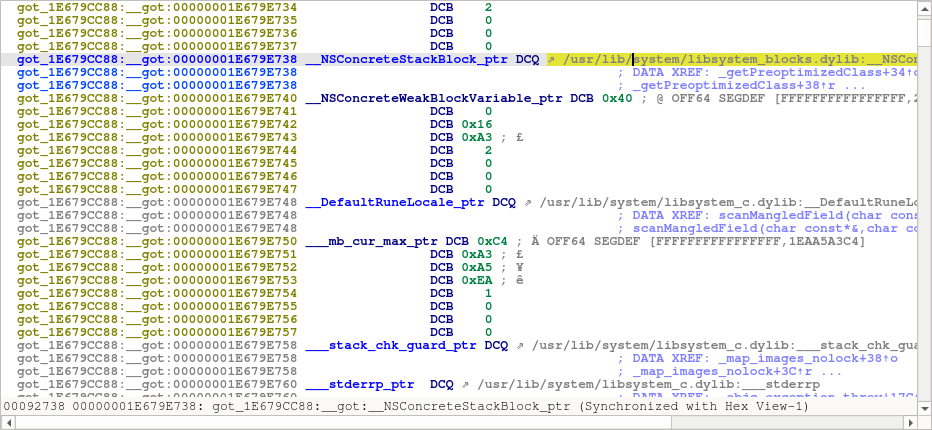
in-listing prompts — when navigating the disassembly, unmapped targets are decorated with a
⇗marker. Double-clicking, or pressing Enter on, such a span prompts to load the target image.

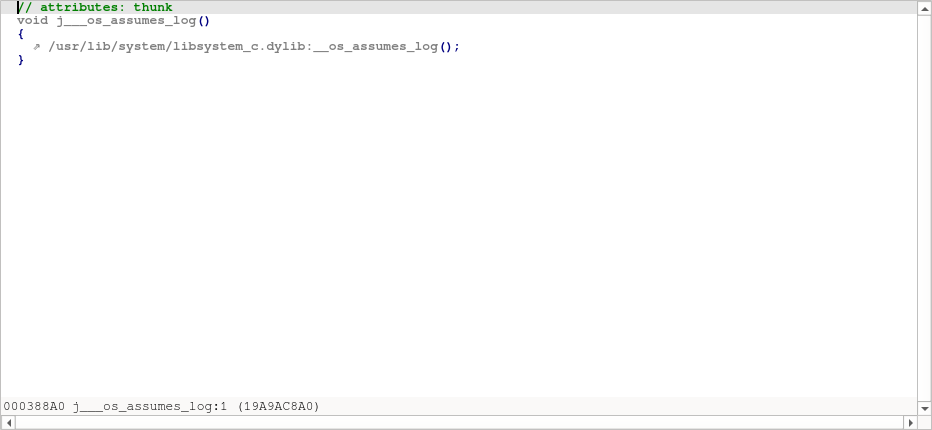
The same arrow appears in the decompiler — here on a thunk whose only purpose is to call a routine in another (still-unmapped) image:

The purpose, throughout, is to give the user a hook (a double-click, an Enter key) and have IDA offer to load whatever needs to be loaded, seamlessly.
Loading images
The DSC Index context menu offers three actions to load regions:
Selected modules — load whatever is selected, as-is.
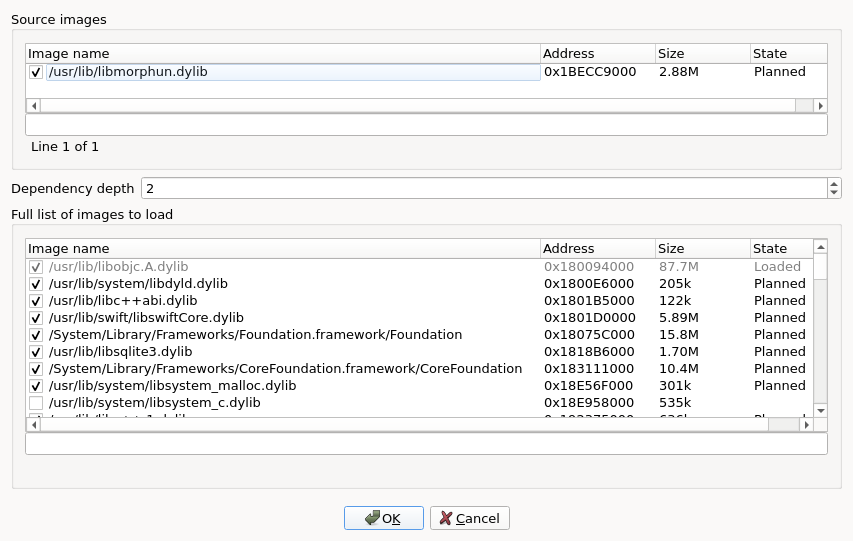
Selection with dependencies... — load the selection plus its dependencies, with a dialog to control depth and per-dependency inclusion.
From external Mach-O... — match the load commands of an off-cache Mach-O against this DSC and load the matching dependencies. See the action page for the full walkthrough.
In addition to the in-listing prompts mentioned in On-demand loading, the normal navigation actions of the disassembly and the decompiler may invite the user to load further images as needed.

Double-clicking and reload prompts
Double-clicking a region in the DSC Index jumps to its start address; if the region is not yet loaded, a confirmation dialog asks whether to load it first.
If you ask to load something that is already loaded, IDA prompts with <region> is already loaded. Do you want to load it again? (default: No).
The Functions list
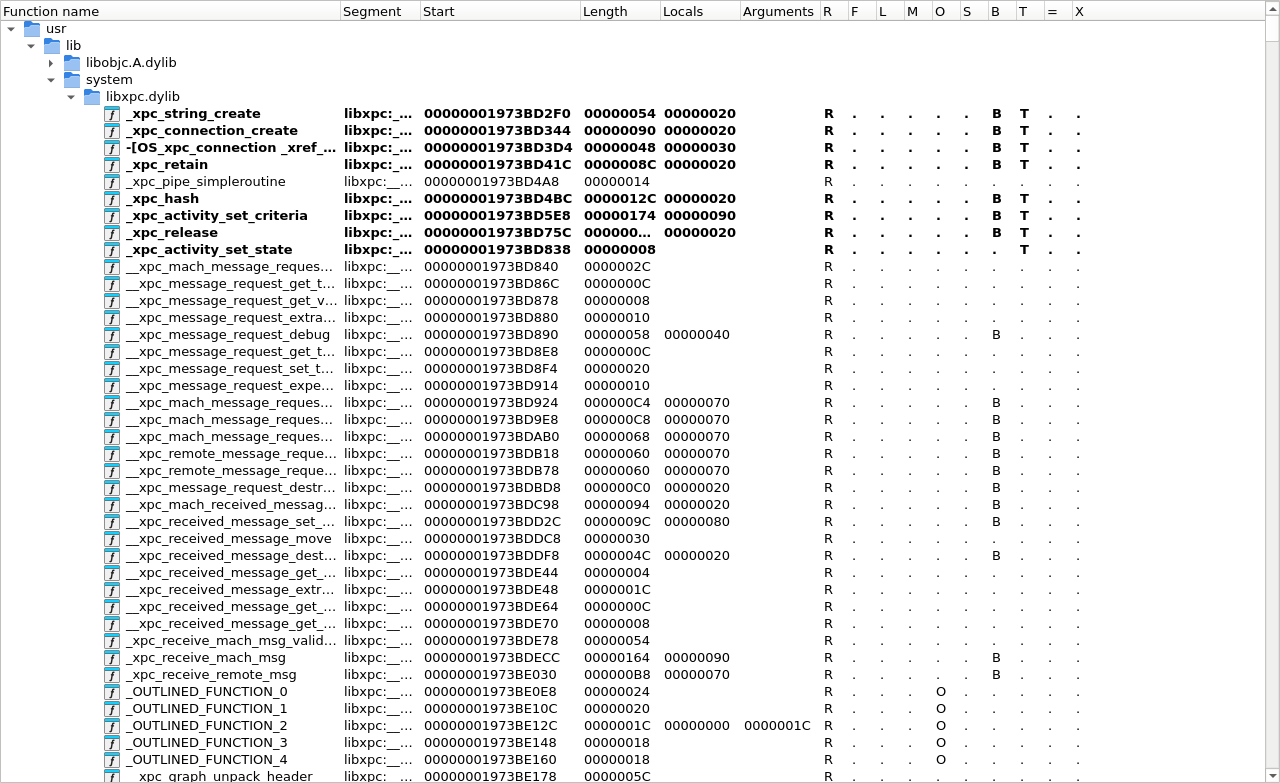
Images loaded from one cache share an address space, so without grouping their functions would be a single flat heap. They are not: each image's functions go into a folder of their own, named after the image and nested under its install path, so /usr/lib/system/libxpc.dylib sits under usr -> lib -> system.

The folder name is a configuration option; set it to group images differently, or to the empty string for a flat list.
Locating important information
Depending on the user's workflow, you may need to look up a symbol or a string literal coming from a log, a stack trace, an external tool. IDA provides three locator actions for that, all under the DSC Index context menu, all working across the entire cache without loading anything first:
Symbol — substring search across the cache's local symbol table and per-image export tables.
String — substring search across the cache's bytes, scoped to images or full files.
Region by address — given an address, highlight the matching region in the index.
The two substring locators work the same way: choosing the action first opens a query prompt (with a history of past queries and a collapsible Options group); confirming opens the DSC symbols / DSC strings results panel. The panel keeps the same query field and Options, so further searches can be refined in place — press Enter or click the Search button. The two prompts and panels look near-identical; the DSC strings prompt and panel below illustrate both. See each action page for the result tree's specifics.


Configuration
cfg/dscu.cfg holds the shared-cache options. Each is documented in the file itself, at more length than here; this is what there is to look for.
SEGNAME_FORMAT
How an image's segments are named. Default "%b:%S.%s", e.g. libsystem_c:__TEXT.__text.
FUNC_FOLDER_FORMAT
How the Functions list folder of an image is named. Default "%M", one folder per path component; empty means no folders.
DSCU_MIN_UNKNOWN_REGION_SIZE
Smallest unclassified region worth tracking. Default 0x1000: a cache has thousands of tiny uncovered gaps between sections, and tracking them all is not useful.
DSCU_LOAD_ZEROSIZED_SEGS
Load segments whose load command claims a size of zero, by loading the mapping that contains them. Default YES.
Both format options are built from the same pieces — %m the install path, %M the same as a path, %b its last component without the extension, %c the subcache file, %S and %s the Mach-O segment and section. A piece that does not exist takes its neighbouring punctuation with it. cfg/kcu.cfg spells the two the same way for the kernelcache.
DSCU_USE_SEG_PREFIXES is retired: SEGNAME_FORMAT says that and more. A config that still sets it keeps composing the names it composed before.
Some behaviour is driven by environment variables rather than the config file, for scripted and batch loads: IDA_DYLD_CACHE_IMAGE, IDA_DYLD_CACHE_DEPTH and IDA_DYLD_CACHE_ALL choose what is loaded, and IDA_DYLD_SHARED_CACHE_SLIDE gives the cache's slide. They are listed under environment variables.
Scripting (dscu_svc_t API)
The entire DSC workflow is driven by a public C++ service, dscu_svc_t, exposed through the <dscu.h> SDK header and the ida_dscu Python module. The same calls the UI makes are available to scripts and plugins: enumerate regions, query symbols, find strings, load images.
A worked IDAPython example shipping with IDA — dscu_query.py (under python/examples/disassembler/) — touches the main highlights: cache layout, image lookup, dependency walk, symbol search, string search.
Extracting an image as a standalone Mach-O
A dylib inside the cache is not a file you can hand to another tool: the builder splits its segments across the container, merges everybody's __LINKEDIT into one blob, and shares a single string pool between all of them. IDA ships an IDAPython example that reassembles one — see Extracting cache images, which covers shared caches and kernelcaches alike.
See also
Apple Kernelcache — the same workflow, for the XNU kernel and its KEXTs.
Extracting cache images — writing an image out as a standalone Mach-O.
Last updated
Was this helpful?