# Dyld Shared Cache

This page walks through how IDA 9.4 lets you analyse a Dyld Shared Cache: opening one, navigating its contents from the **DSC Index**, loading the bits you actually care about, and locating things across the cache without having to load everything first.

## Opening a DSC

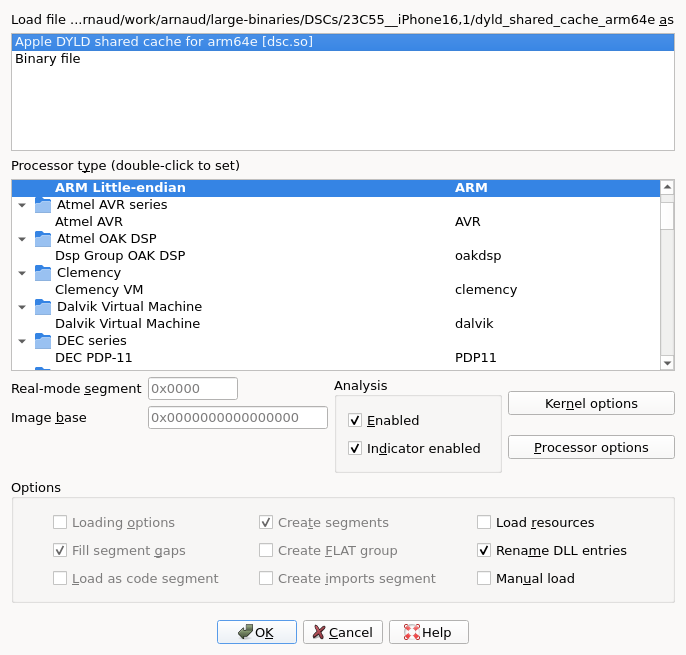
When IDA loads a Dyld Shared Cache, the loader's only job is to map the cache header into the database and prepare the internal data structures needed to navigate the cache. Every image, branch mapping, GOT and gap is left for the user to load on demand, through the workflow described below.

<figure><img src="/files/hM7YpZ9Yv16XqDlfxWPd" alt="DSC open dialog"><figcaption><p>The initial DSC open dialog</p></figcaption></figure>

## The DSC Index

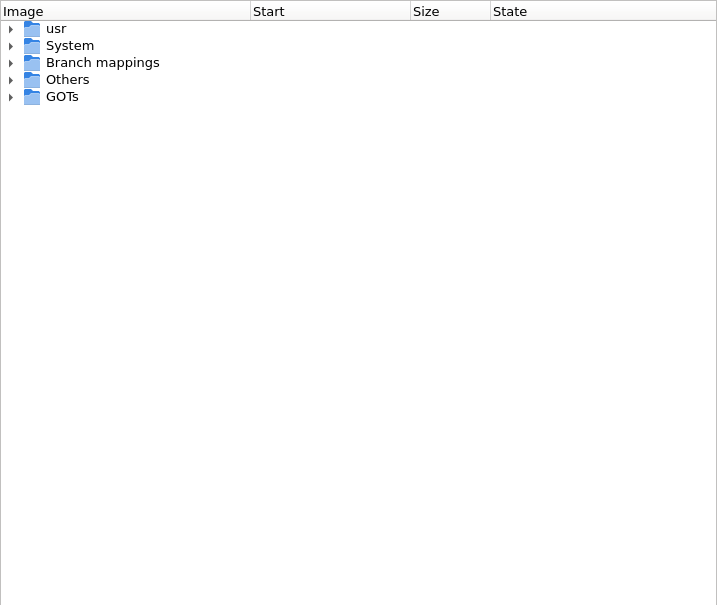
The **DSC Index** is the entry point to everything else. It is a tree showing every region of the cache (images, branch islands, branch mappings, GOTs, gaps) along with their sizes, addresses, and whether they're currently loaded.

<figure><img src="/files/3qTiTzIA7twecE9pdCOp" alt="DSC Index widget, all regions collapsed"><figcaption><p>The DSC Index widget, top-level kinds visible</p></figcaption></figure>

If you ever close the panel, reopen it through the [Dyld Shared Cache (DSC) index](https://github.com/HexRaysSA/ida-docs/blob/9.4/ida-actions/OpenDSCIndex.md) action under **View > Open subviews**.

### Region kinds

* **Images** — the actual dylibs and frameworks. By far the most interesting set of regions in the cache, and typically what reversers will look at first.
* **Branch islands** — trampolines for long branches. They are an artefact of older caches; recent caches don't use them, so you will likely never encounter any (the screenshot above shows none for that very reason).
* **Branch mappings** — `__stubs` shared between subcaches. The modern equivalent of branch islands: just trampolines, vastly uninteresting to a reverser. IDA may need to auto-load some of them to satisfy an image's dependencies, so don't be surprised to see branch mappings get loaded without you explicitly asking.
* **GOTs** — global offset tables (iOS 16+ on arm64). Mostly pointers and jumps, mostly uninteresting; like branch mappings, may be auto-loaded as needed.
* **Gaps** — regions the DSC loader couldn't classify when it scanned the cache.

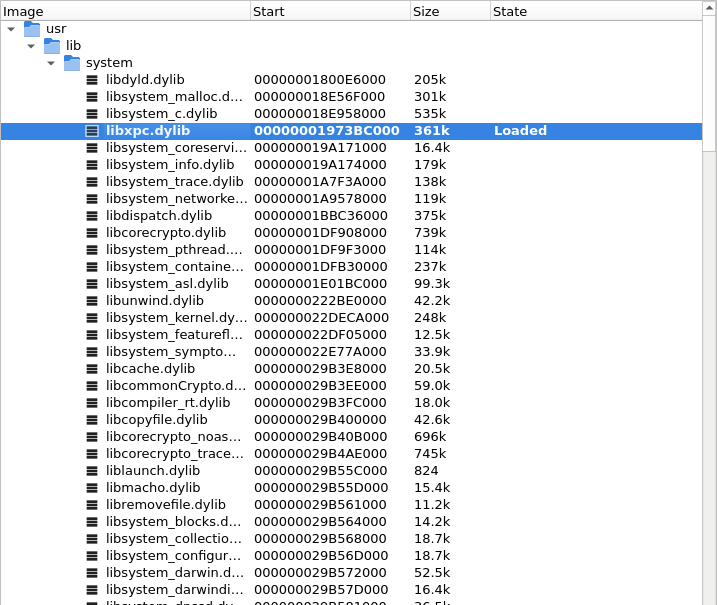
Once expanded, every region carries its address, size, and loaded state:

<figure><img src="/files/8nmD8HouQRl37ojIDID1" alt="DSC Index widget, expanded with addresses and sizes"><figcaption><p>The DSC Index with /usr/lib/system expanded; libxpc.dylib loaded</p></figcaption></figure>

## On-demand loading

The whole workflow is built on the assumption that any address may or may not be backed by loaded bytes at any given moment. Cross-references to unmapped addresses do not break, decompilation does not abort, and the user is free to load more whenever they want. Several entry points trigger a load:

* the [DSC Index](#the-dsc-index) context menu (described in [Loading images](#loading-images) below);
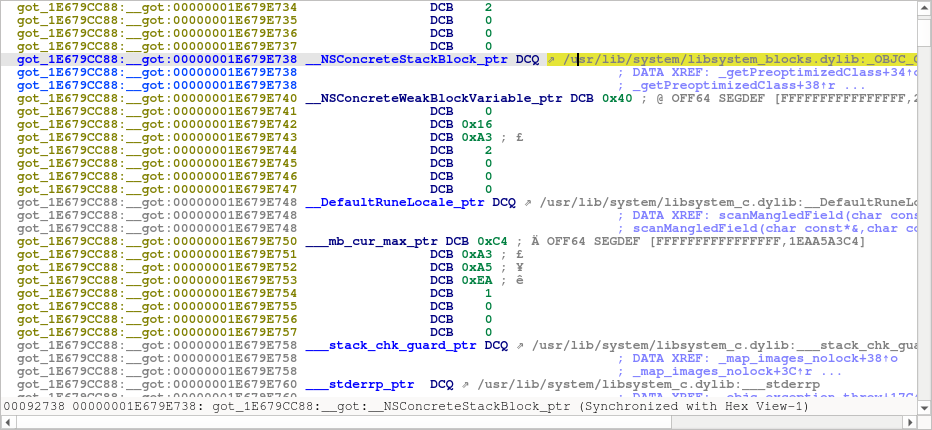
* **in-listing prompts** — when navigating the disassembly, unmapped targets are decorated with a `⇗` marker. Double-clicking, or pressing Enter on, such a span prompts to load the target image.

<figure><img src="/files/E9aP7B1LnCrV1LVsRalB" alt="In-listing arrow (disassembly)"><figcaption><p>The "⇗" marker in disassembly, on a pointer targeting an unmapped library</p></figcaption></figure>

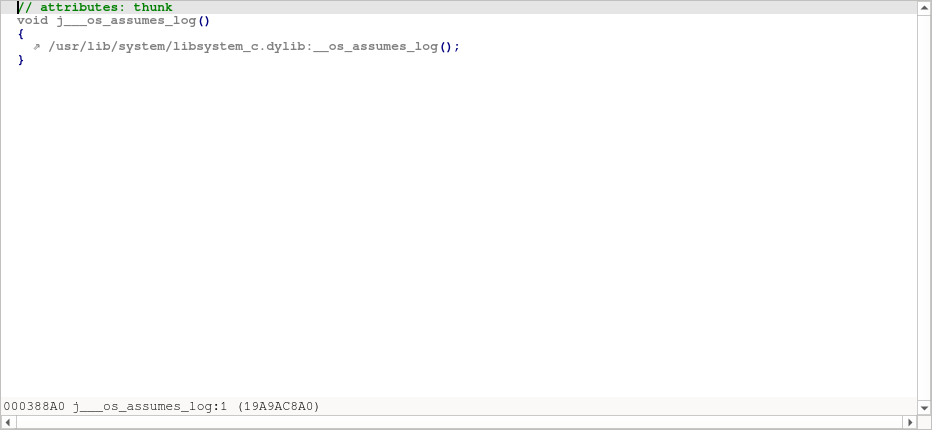
The same arrow appears in the decompiler — here on a thunk whose only purpose is to call a routine in another (still-unmapped) image:

<figure><img src="/files/XA0Cfee4vJ749JuIw4mH" alt="In-listing arrow (decompiler)"><figcaption><p>The "↗" marker in the decompiler, on a thunk to an unmapped library</p></figcaption></figure>

The purpose, throughout, is to give the user a hook (a double-click, an Enter key) and have IDA offer to load whatever needs to be loaded, seamlessly.

## Loading images

The DSC Index context menu offers three actions to load regions:

* [Selected modules](https://github.com/HexRaysSA/ida-docs/blob/9.4/ida-actions/DSCLoadRegions.md) — load whatever is selected, as-is.
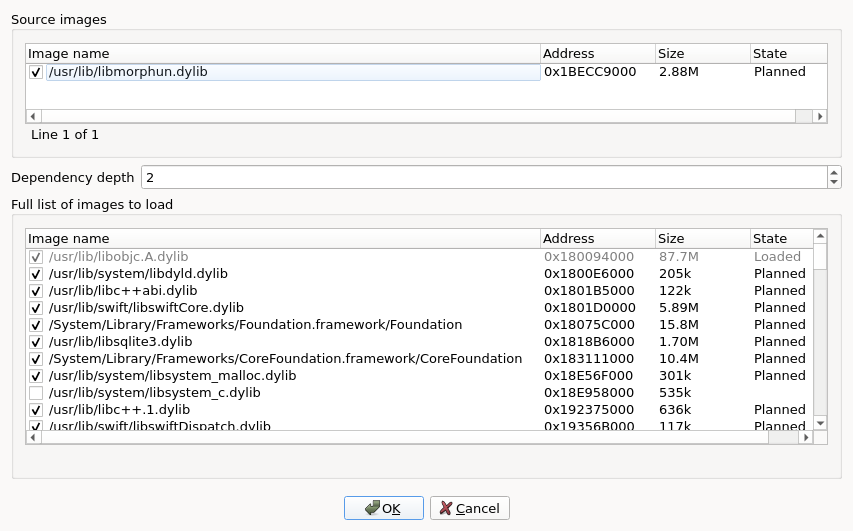
* [Selection with dependencies...](https://github.com/HexRaysSA/ida-docs/blob/9.4/ida-actions/DSCLoadDeps.md) — load the selection plus its dependencies, with a dialog to control depth and per-dependency inclusion.
* [From external Mach-O...](https://github.com/HexRaysSA/ida-docs/blob/9.4/ida-actions/DSCLoadDepsExternal.md) — match the load commands of an off-cache Mach-O against this DSC and load the matching dependencies. See the action page for the full walkthrough.

In addition to the in-listing prompts mentioned in [On-demand loading](#on-demand-loading), the normal navigation actions of the disassembly and the decompiler may invite the user to load further images as needed.

<figure><img src="/files/gIZM6UEqDeU6hxV4ztKO" alt="Load with dependencies dialog"><figcaption><p>The dependencies picker dialog</p></figcaption></figure>

### Double-clicking and reload prompts

Double-clicking a region in the DSC Index jumps to its start address; if the region is not yet loaded, a confirmation dialog asks whether to load it first.

If you ask to load something that is already loaded, IDA prompts with `<region> is already loaded. Do you want to load it again?` (default: **No**).

## Locating important information

Depending on the user's workflow, you may need to look up a symbol or a string literal coming from a log, a stack trace, an external tool. IDA provides three locator actions for that, all under the DSC Index context menu, all working across the entire cache without loading anything first:

* [Symbol](https://github.com/HexRaysSA/ida-docs/blob/9.4/ida-actions/DSCLocateSymbol.md) — open the **DSC symbols** panel; iterative substring search across the cache's local symbol table and per-image export tables.
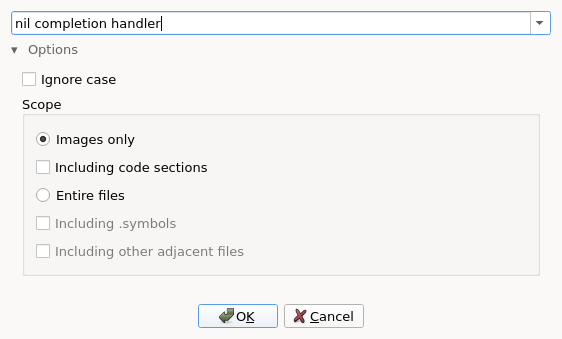
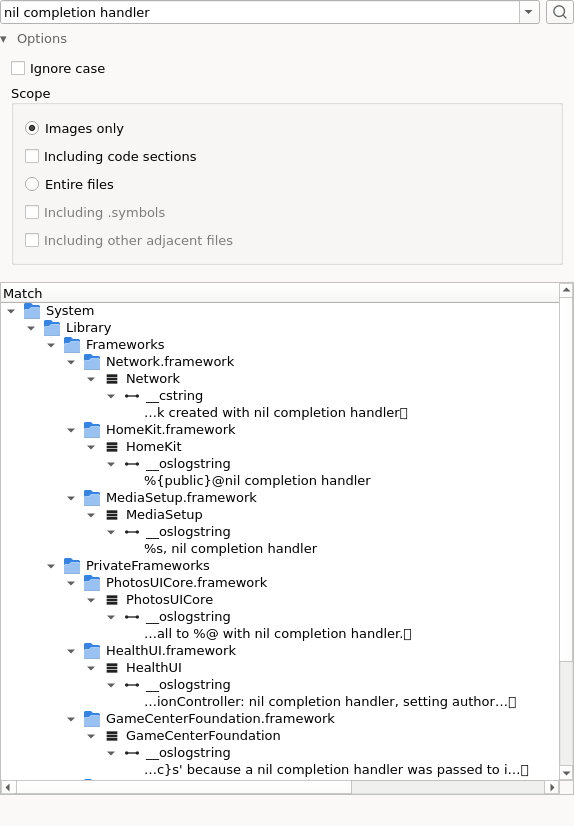
* [String](https://github.com/HexRaysSA/ida-docs/blob/9.4/ida-actions/DSCLocateString.md) — open the **DSC strings** panel; iterative substring search across the cache's bytes, scoped to images or full files.
* [Region by address](https://github.com/HexRaysSA/ida-docs/blob/9.4/ida-actions/DSCLocateAddress.md) — given an address, highlight the matching region in the index.

The two iterative panels look near-identical; the **DSC strings** panel below illustrates both. See each action page for the result tree's specifics.

<figure><img src="/files/Z8mpYIwnjwhx9FxskbcL" alt="DSC strings panel"><figcaption><p>The DSC strings panel after a search</p></figcaption></figure>

## Scripting (`dscu_svc_t` API)

The entire DSC workflow is driven by a public C++ service, `dscu_svc_t`, exposed through the [`<dscu.h>`](https://cpp.docs.hex-rays.com/dscu_8h.html) SDK header and the [`ida_dscu`](https://python.docs.hex-rays.com/ida_dscu.html) Python module. The same calls the UI makes are available to scripts and plugins: enumerate regions, query symbols, find strings, load images.

A worked IDAPython example shipping with IDA — [`dscu_query.py`](https://github.com/HexRaysSA/IDAPython/tree/9.4/examples/disassembler/dscu_query.py) (under `python/examples/disassembler/`) — touches the main highlights: cache layout, image lookup, dependency walk, symbol search, string search.

> FIXME: confirm the C++ and Python reference URLs above resolve once 9.4 docs are published.


---

# Agent Instructions: Querying This Documentation

If you need additional information that is not directly available in this page, you can query the documentation dynamically by asking a question.

Perform an HTTP GET request on the current page URL with the `ask` query parameter:

```
GET https://docs.hex-rays.com/9.4/core/disassembler/concepts/dsc-workflow.md?ask=<question>
```

The question should be specific, self-contained, and written in natural language.
The response will contain a direct answer to the question and relevant excerpts and sources from the documentation.

Use this mechanism when the answer is not explicitly present in the current page, you need clarification or additional context, or you want to retrieve related documentation sections.